Complete step-by-step guide to the TCS NQT registration process 2026, including eligibility details, important documents, application steps, and tips to successfully apply without mistakes.
Greetings from Code Bridge 👋
The Tata Consultancy Services (TCS) National Qualifier Test (NQT) 2026 has been officially announced. Below, you can find all the important details about the TCS NQT Registration Process 2026. The information provided here will help you complete your registration smoothly and without errors.
Table of Contents
📅 Important Dates
- Test Date: 10th March 2026 (Tuesday) Onwards
- Application Closing Date: 20 March 2026
📌 About the Test
- Mode of Exam: Physical (In-Centre)
- Based on the marks you obtain, you will be shortlisted for either the Ninja or Digital profile in TCS.
Make sure to apply before the last date and start your preparation early to increase your chances of getting shortlisted. Stay connected with Code Bridge for complete guidance and preparation support.
IMPORTANT NOTE:
- There will be no negative marking.
- TCS NQT is Non-adaptive this year.
⚠️ Warning: Even a small mistake in the TCS NQT 2026 registration form can lead to application cancellation and you may not receive your hall ticket. Carefully read all instructions and verify every detail before submitting the form.
Step By Step TCS NQT Registration Process 2026
Step 1: Click on “Register Now”
Visit the official TCS NQT registration page and click on “Register Now” to begin your application process. Make sure you keep this guide page open in another tab so you can check each step carefully while filling out the form.

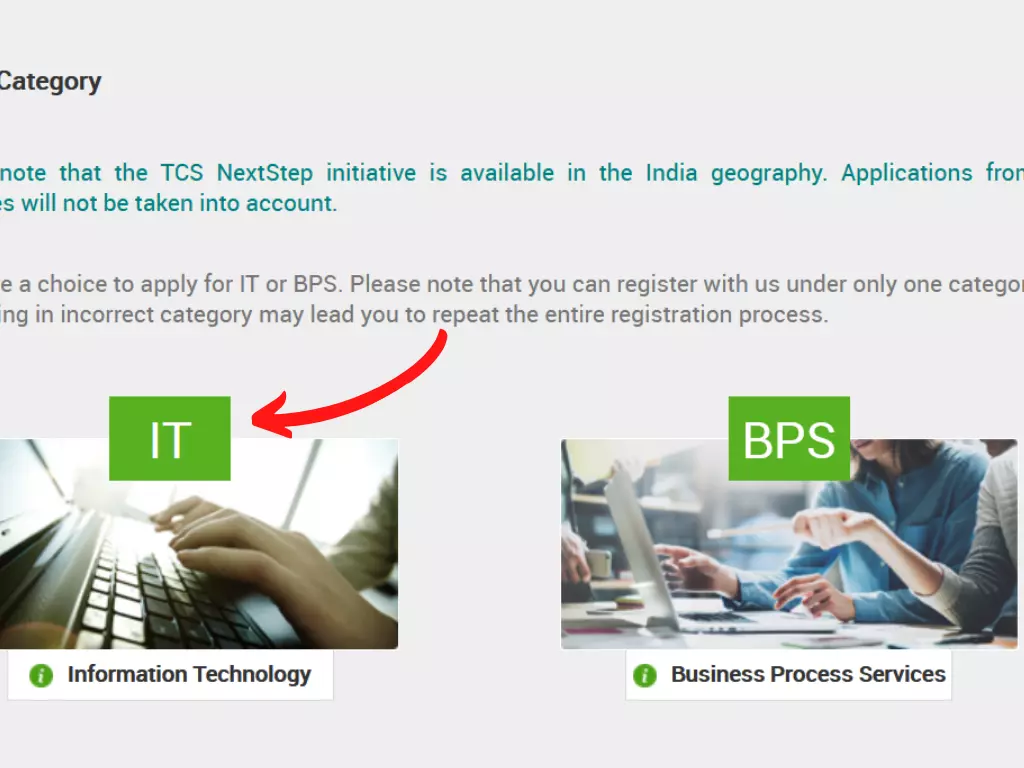
Step 2.0: Select Category
You will see two options on the screen. Select IT option. If you are applying for technical roles, always choose IT.
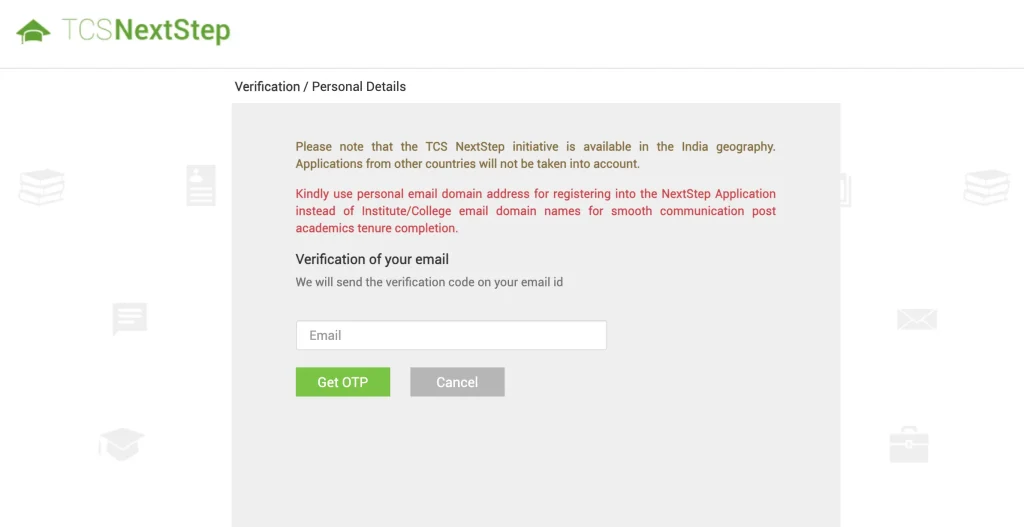
Step 2.1: Enter Your Email ID
Enter the email ID that you want to use for the registration process. Make sure it is a valid Gmail ID and you have full access to it. All important updates, OTP, and confirmation details will be sent to this email, so enter it carefully.
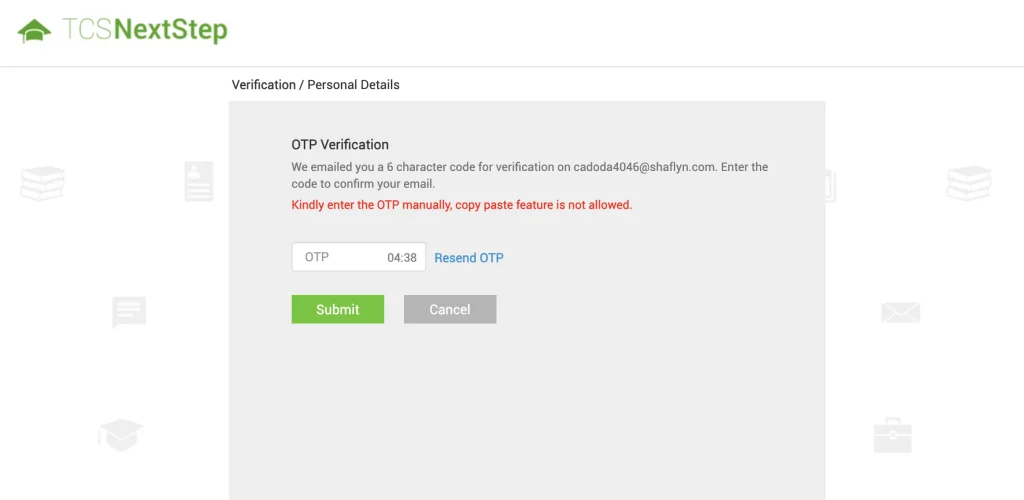
Step 2.2: Enter OTP
You will receive an OTP to your email. Enter the OTP manually. Copy and paste will not work, so type it carefully.
Step 2.3: Fill Basic Details
Now enter your basic details:
- Last 4 digits of your Aadhaar Card
- Your Date of Birth (DOB)
Enter correctly. Even a small mistake can cause problems later.
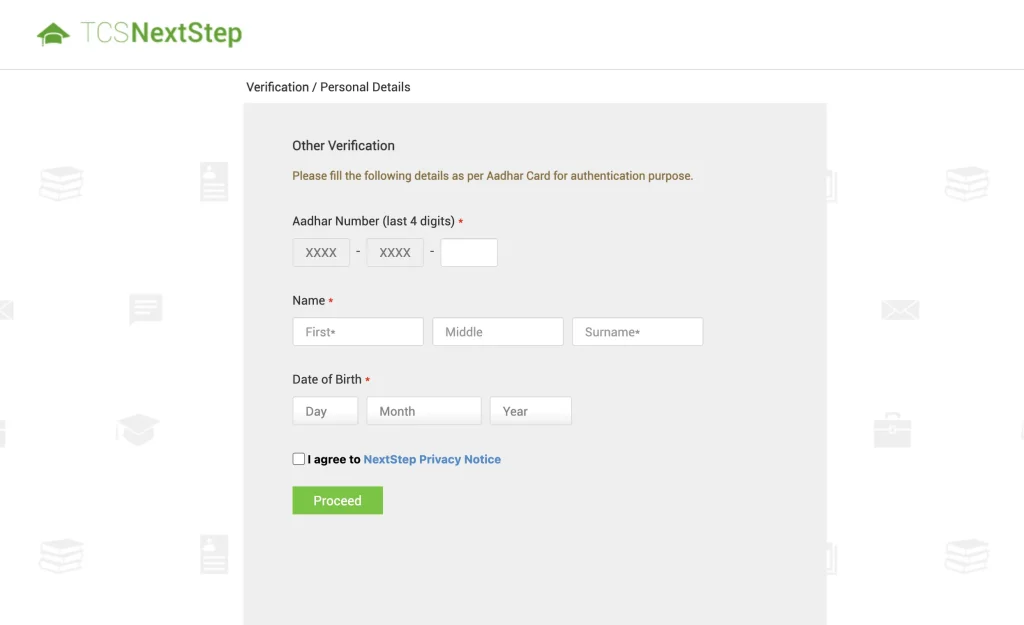
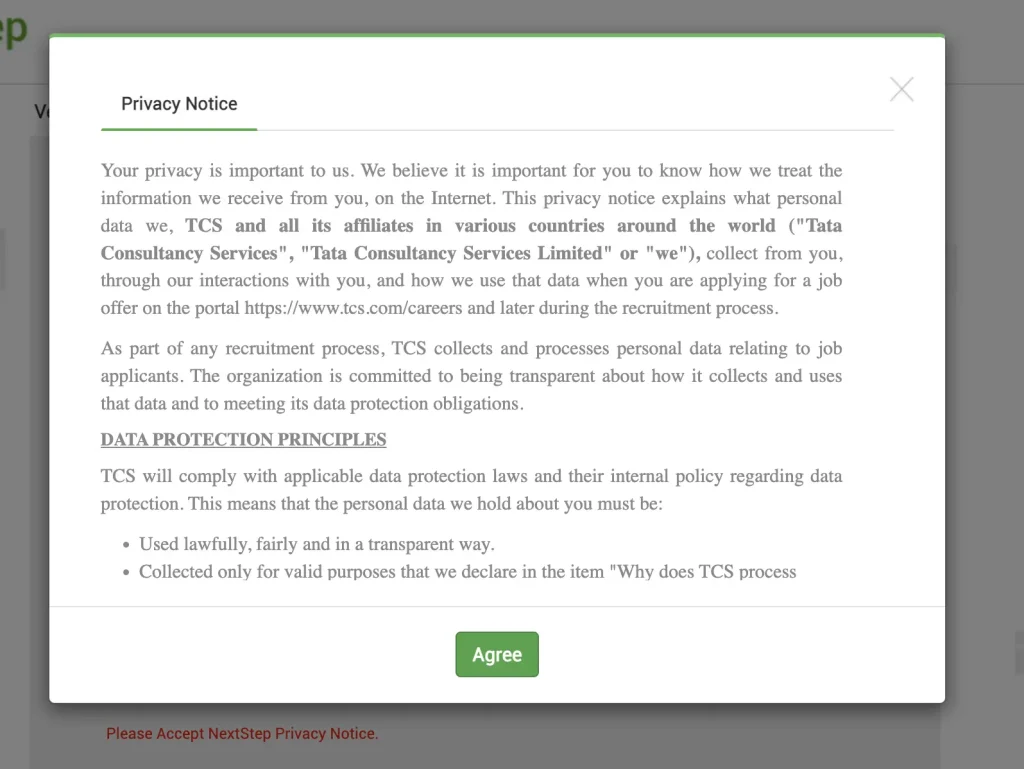
Step 2.4: Accept Privacy Notice
After clicking “Proceed”, a Privacy Notice pop-up will appear. Read it and click “Agree”, then click “Proceed” again to continue.
Take your time and fill everything carefully.
Part 2: Application Form and Personal Details – TCS NQT Registration Process
After creating your account, you will be redirected to the next page to fill the remaining details. Now you need to complete the Application Form.
When you click on Application Form, you must complete these 4 sections:
- Personal Details
- Academic Details
- Subject / NQT Test Details
- Final Application Form Submission
This is one of the most confusing parts of the TCS NQT 2026 Registration Process for freshers. So fill each section very carefully and check all details before moving to the next step.
⚠️ Take your time and avoid small mistakes while entering your information.
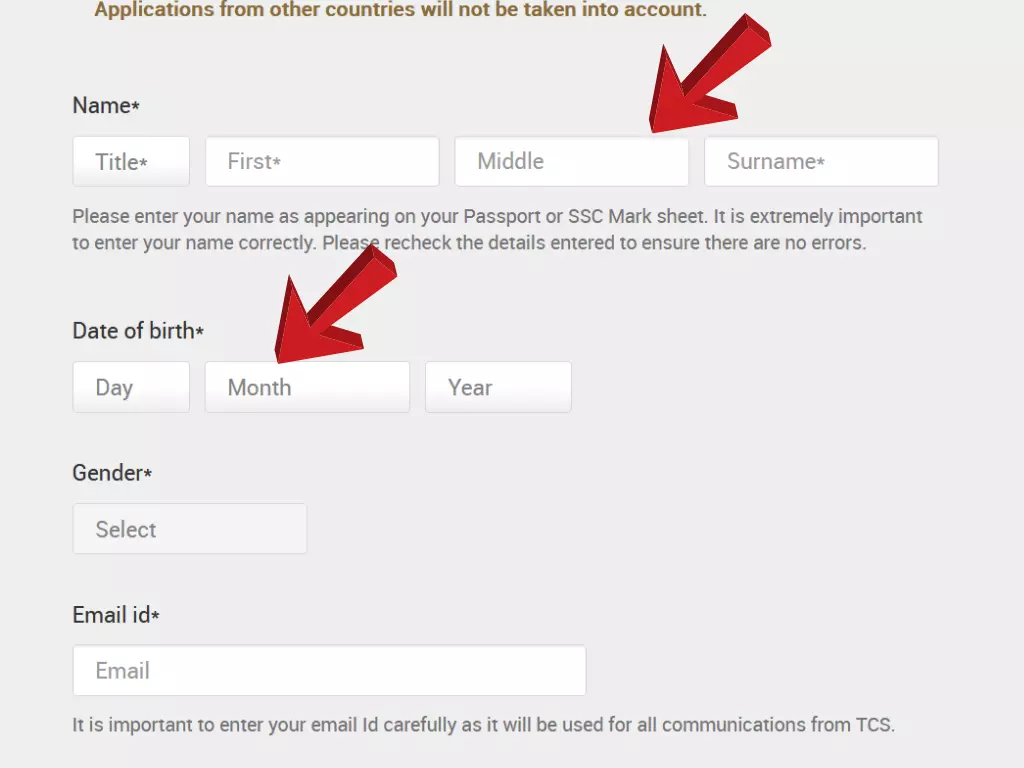
Step 3: Personal Details
This is the easiest part of the application form.
You just need to enter your personal details correctly, such as your name, contact number, gender, address, and other basic information. Make sure everything matches your official documents to avoid any issues later.
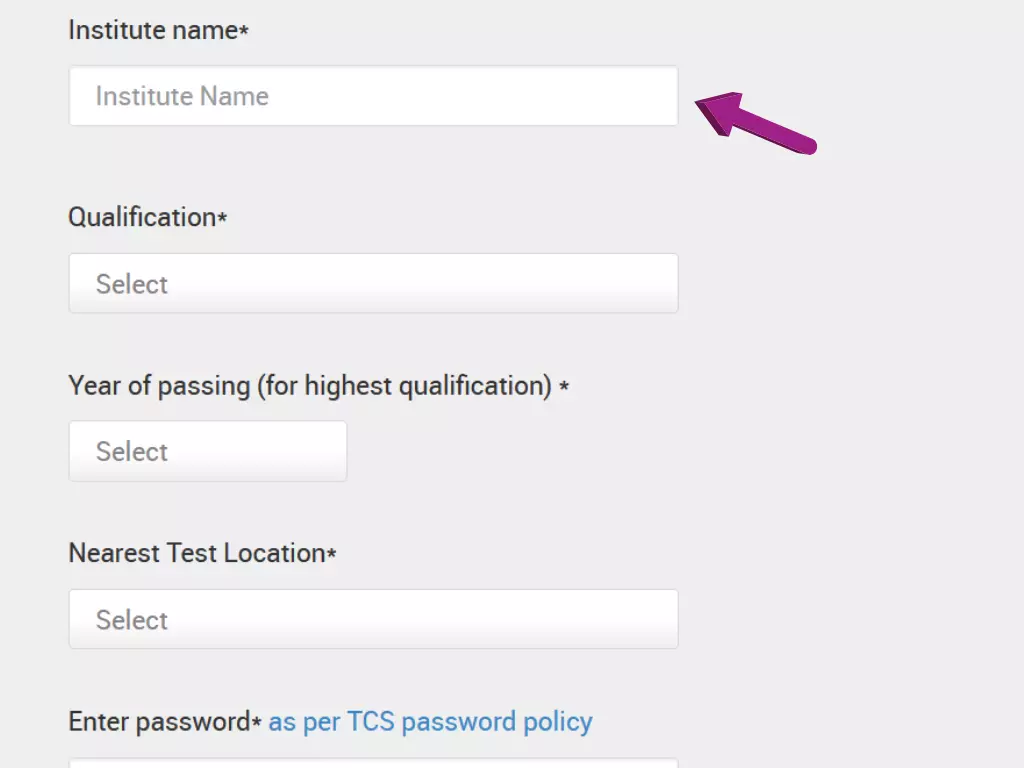
Step 4: Educational Qualification
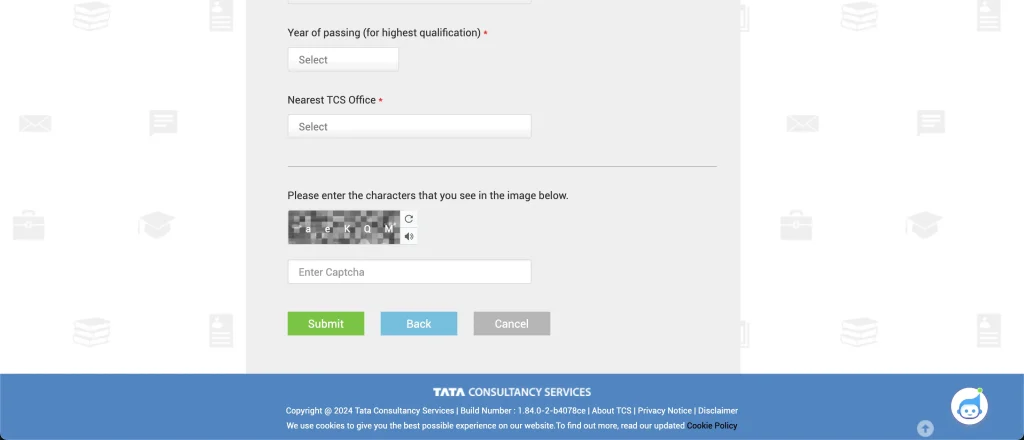
In this section, you need to fill your education details carefully. Select your Institute Name, Qualification, and Year of Passing from the drop-down menu. After that, choose the nearest test location as per your convenience. Make sure all details are correct before moving to the next step.
Step 5: Select Nearest TCS Office
Choose the nearest TCS office from the given options. Select carefully based on your preferred location, then click Submit to continue.
Step 6: Confirm Details
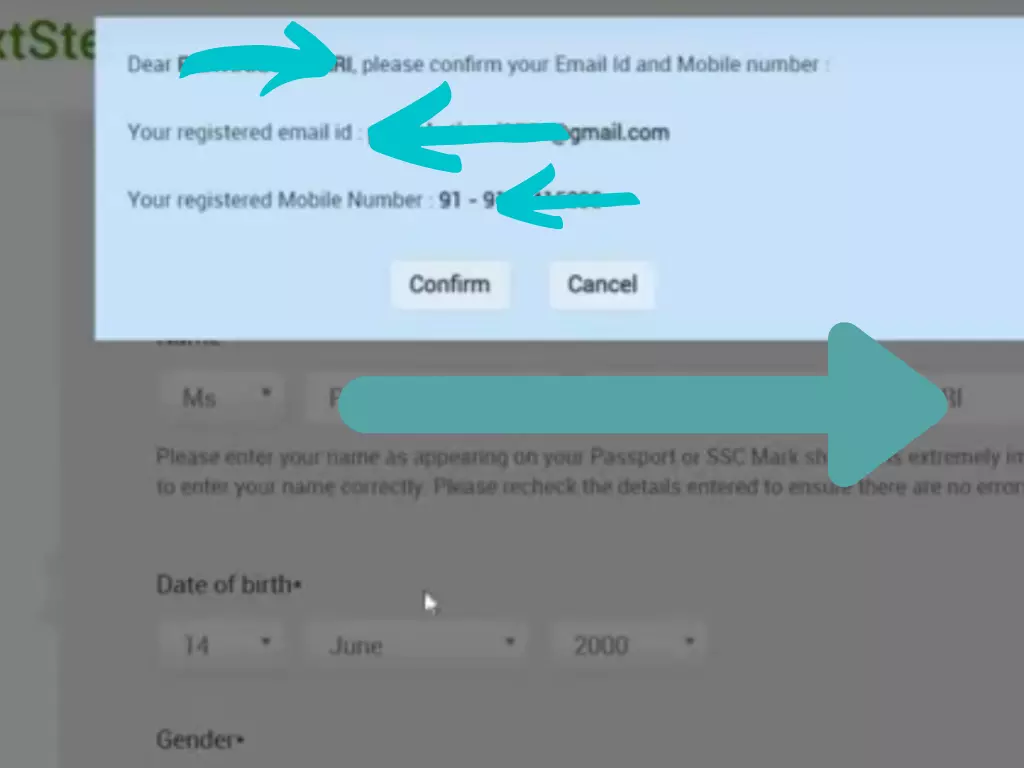
After clicking on the Submit button, the system will ask you to confirm the details you have entered. Check all the information carefully. If everything is correct, click Proceed to move forward. If you find any mistake, correct it before continuing.
Step 7: Note Down Your Application ID
After completing the previous steps, you will receive your TCS NQT Registration ID (Application ID). Make sure to note it down or take a screenshot. You will need this ID for future login and further communication. TCS NQT Registration Process 2026 is completed!
Follow the YouTube Video
Follow the steps shown in the YouTube video carefully to complete your TCS NQT application and to understand the process visually.
Watch the video, pause when needed, and do each step on your registration page exactly the same as shown to avoid mistakes.
This will help you complete the form more easily and correctly.
Follow Us
Stay connected with us for more interview experiences and preparation tips.
Follow us to get the latest hiring updates and career guidance.
Subscribe to our platform for regular support to crack top company interviews successfully.
How To Crack TCS NQT Prime | Tips and Resources
TCS NQT Registration Process 2026 TCS NQT Registration Process 2026
1 thought on “TCS NQT Registration Process 2026”